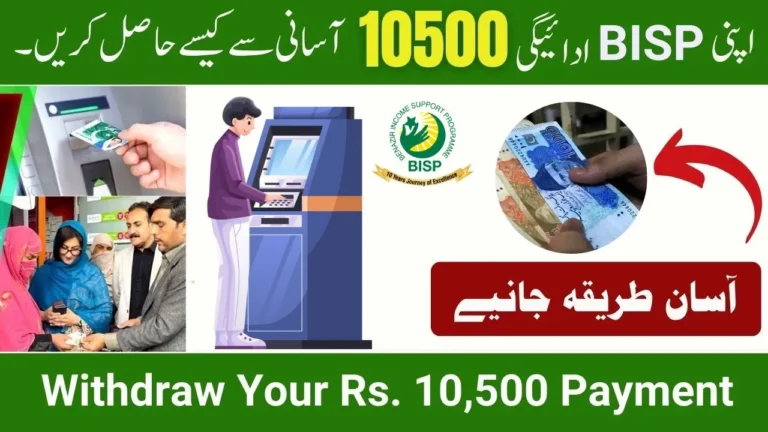
BISP Wallet SIM 8171 Registration – Complete Guide to New Digital Payment System 2025

The BISP Wallet SIM 8171 Registration system is one of the newest digital features introduced by the Benazir Income Support Programme in 2025. This update aims to make BISP payments safer, quicker, and easier for women across Pakistan—especially those living in remote or rural areas.
Instead of traveling to agents or campsites and waiting in long queues, beneficiaries will now be able to receive their monthly BISP installment directly through a Wallet SIM linked with their CNIC. This digital wallet can be used for withdrawals, balance checks, mobile transfers, and more.
This article explains how the Wallet SIM works, who can register, how to activate it, and how your 8171 BISP payment will be transferred through this new system.
What Is BISP Wallet SIM 8171?
The BISP Wallet SIM is a mobile-based digital wallet connected to your CNIC and SIM number. Once registered, your monthly BISP installment is transferred directly into this mobile wallet—making the payment process simple and secure.
This system has been launched to:
 WhatsApp Channel
- Reduce long queues at camps and shops
- Stop illegal deductions
- Give women full control over their payments
- Make digital banking accessible for all BISP beneficiaries
The Wallet SIM will work through JazzCash, Easypaisa, or UBL Digital Wallet, depending on your district.
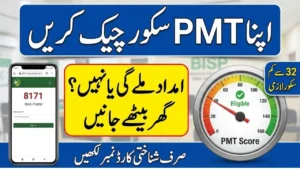
Who Can Register for BISP Wallet SIM?
You are eligible for BISP Wallet SIM 8171 Registration if:
- You are an active BISP Kafalat beneficiary
- Your CNIC is valid and updated in NADRA
- Your SIM is registered on your own CNIC
- You have received any BISP payment in the last year
- You have completed dynamic survey/NSER verification
If your SIM is not registered in your name, you must first update it from the franchise.
How to Register for BISP Wallet SIM 8171? (Step-by-Step)
Follow these simple steps to complete your BISP Wallet SIM registration:
Step 1: Send SMS to 8171
Send your CNIC number to 8171 from your own registered SIM.
You will receive a confirmation message stating your eligibility for Wallet SIM activation.
Step 2: Visit Your Mobile Wallet Franchise
Go to the nearest:
- JazzCash franchise
- Easypaisa retailer
- UBL digital point
Tell the representative that you want to activate BISP Wallet SIM.
Step 3: Biometric Verification
Your thumb verification will be completed through NADRA.
Step 4: Wallet Account Activation
Once verified, your BISP Digital Wallet will be created automatically.
Step 5: Receive Payment in Wallet
From the next cycle, your BISP installment will be added directly to your wallet.
You will get an SMS saying:
“Your BISP Kafalat payment has been deposited in your Wallet SIM account.”

How to Withdraw Money from Your BISP Wallet SIM?
You can withdraw your payment in three ways:
1. Mobile Wallet Franchise
Visit any JazzCash/Easypaisa agent, provide your CNIC, and complete biometric verification.
2. Bank ATM (Debit Card Not Needed)
Many banks will allow withdrawal using CNIC biometric verification at the ATM.
3. Transfer to Another Account
You can also transfer the money to:
- Your bank account
- Your family member’s account
- Another mobile wallet
Wallet-to-wallet transfer fees may apply.
Benefits of BISP Wallet SIM 2025
Here’s why this new system is useful for women across Pakistan:
- No need to stand in long queues
- No extra cuts or illegal deductions
- Payment comes directly to your phone
- Wallet PIN for extra security
- Simple balance check through SMS
- More transparency and faster payouts
- Works even in remote areas
This upgrade supports Pakistan’s move toward digital financial inclusion.
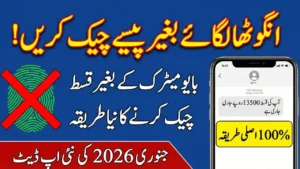
How to Check BISP Wallet SIM Payment?
You can check your balance through:
1. USSD Code
Dial the wallet USSD code (e.g., *786#, *247# depending on Jazz/Easypaisa).
2. SMS Alert
After the amount is credited, you will receive a confirmation SMS.
3. Mobile App
If you have a smartphone, open:
- JazzCash App
- Easypaisa App
- UBL Wallet App
Log in using your CNIC to check the balance.
Required Documents for Registration
You only need:
- Original CNIC
- Your SIM (registered on your CNIC)
- BISP beneficiary status (already verified by 8171)
No extra fees or documentation required.

Common Issues & Their Solutions
Issue 1: SIM Not on Your CNIC
Visit the nearest franchise and convert the SIM ownership to your CNIC.
Issue 2: Biometric Failure
Go to NADRA for fingerprint update.
Issue 3: Payment Not Showing in Wallet
Send CNIC to 8171 again and wait for confirmation.
Issue 4: Wrong SIM Registered
Update details at a BISP Tehsil Office.
BISP Wallet SIM Registration FAQs
1. Is Wallet SIM registration free?
Yes, it is 100% free.
2. Can I use any network SIM?
Yes, but it must be registered on your CNIC.
3. Will my old payment method stop?
Yes, once Wallet SIM is activated, payments shift to mobile wallet.
4. Is biometric verification required every time?
Only for cash withdrawal; not required for balance checks.
5. Can someone else receive my payment?
No, payment is linked to your CNIC and biometric verification.

Conclusion
The BISP Wallet SIM 8171 Registration system is a major digital upgrade for BISP beneficiaries in 2025. It gives women complete control over their payments and reduces the hassle of traveling to payment centers. With easy registration, secure wallet access, and quick withdrawal options, this system is expected to benefit millions of families across Pakistan.